
Added the sources of another game
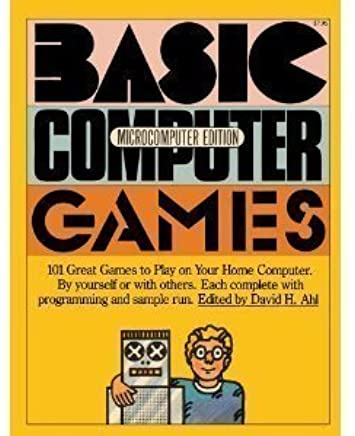 This was a text mode game, my idea being to do something like the old Star Trek BASIC game but better. I called it Star Empires and it’s on GitHub, just follow the link to GitHub on the C Games sources link.
The zip file includes both C and a C++ version. Both will compile with Visual C++ 2019 Community edition. There is a minor compile error, a = that should be == in the C++ source. I ill get round to fixing it and uploading a replacement.
I do get a bit of pleasure (more like an exercise in masochism!) converting old BASIC games to C. I’m looking at the two Creative Computing books (and while 95% of the games are not exactly great (well lets be generous and say they were good 45 years ago!) but there’s one or two that might be worth the effort! I bought these in 1982 lost those and then bought them a few years back again.
Plus when you think how the games industry has matured since the late 70s and 80s, and many of those early programmers will have cut their teeth on games like that before learning more advanced stuff, so lets not be too harsh!


 My Raspberry Pi now has both a 7″ touchscreen and a 24″ monitor working at the same time. Most work is done on the big screen but the smaller display is for testing. I’ve reconfigured it so the menu is on the bigger screen, it makes more sense.
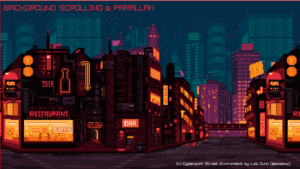 I’m not going to be departing from SDL2 any day soon, but if I were starting from scratch, I would seriously consider
 It just shows what you can do in 38,000 lines of code.
  There are some subtle differences between it and Visual Studio Code. The main one is the not having access to the VisualStudio market place. The C/C++ template isn’t there but instead is installed by default.
 I played with a couple of free packages today. I can recommend hardinfo. (sudo apt install hardinfo to install then hardinfo to run ) though less about the benchmarks than the information it gives on your system.
 It was very easy. This was onto my Pi 4 running 64-bit Raspberry Pi OS.
 Screenshots were captured with the Flameshot utility. It’s installed with sudo apt install flameshot. That’s the VSCodium and Flameshot icons.
 Yesterday’s post reminded me of one of the joys of my youth. The Creative Computing magazines’ “BASIC Computer games” book and it’s sequel “More BASIC Computer games.” . I bought these in 1982, and they weren’t cheap then- about £20 each.