Category: Dart

Bizarre Flutter bug – case insesitivity

Bizarre Flutter bug – case insesitivity

Image of an Gemini created image of An Elusive Flutter bug.For the last month or two, I’ve seen this error come up. I’m developing on Windows 11 and using the most update Flutter/Dart in Quail 2 (Android Studio).


error: The argument type 'HexGridManager (where HexGridManager is defined in 

d:\development\Onslaught\onclient\lib\flags.dart)' can't be assigned to the parameter type 'HexGridManager 
(where HexGridManager is defined in 
D:\development\Onslaught\onclient\lib\flags.dart)'. (argument_type_not_assignable at [tiled_game_app] lib\tiled_game.dart:298)

The error is it thinks a class that is defined in a file is not the same class as that same class in that same file (yep bizarre!) because the capitalisation of the Drive path differs. D vs d.

I’ve searched the whole project folder for the path using Notepad++ and it turns up surprisingly in 1473 places but when I copied that and looked for a path with a lower case d: it found none.

There is a simple fix. Just close Android Studio and then reopen it. The bug is no longer there.
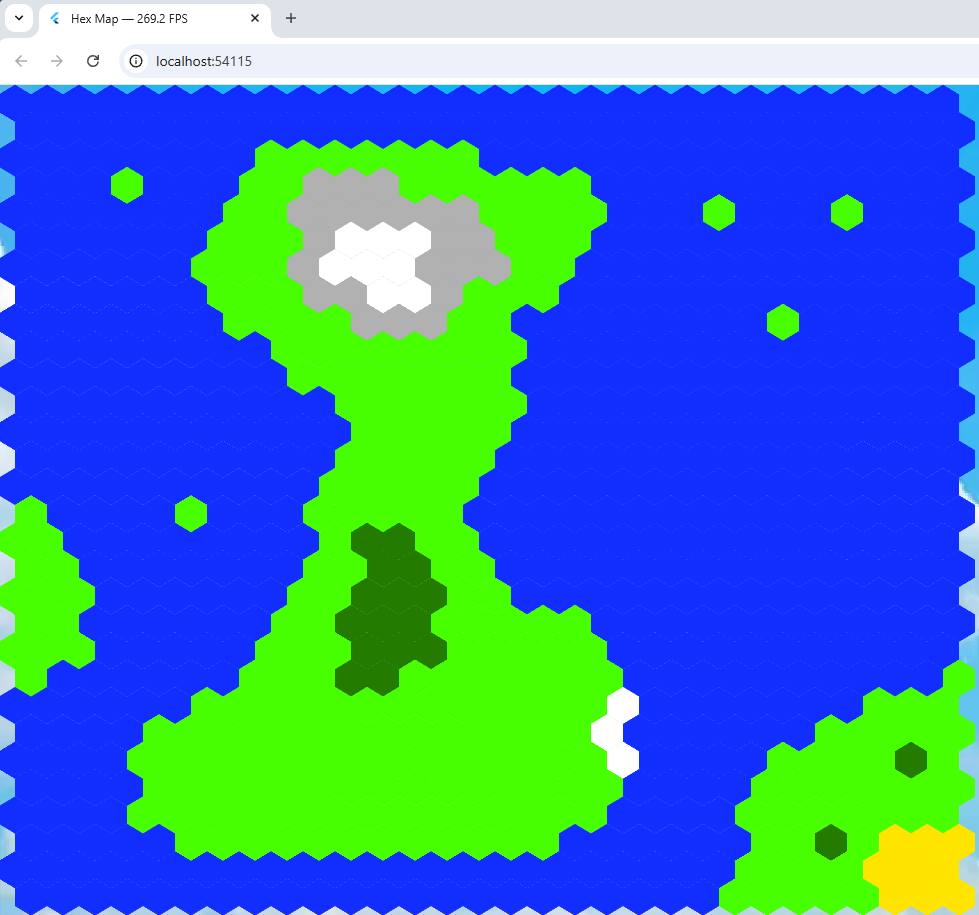
Tiled is the clear winner

Tiled is the clear winner

Tiled frame rate program (link in article)I thought maybe the non-tiled hex map program mentioned in my last blog entry would be easier to work with and as fast but just to be on the safe side, I measured the frame rate of both programs.
I did this with a nifty bit of Flutter code ceated by an AI that I’ve included below. I added it to the program created by Alexander Shevelev who wrote a Medium article about using Flutter + Flame + Tiled. That’s his program running.


import 'dart:math' as math;
import 'dart:ui';
import 'package:flame/components.dart';
import 'package:flame/events.dart';
import 'package:flame/game.dart';
import 'package:flame/input.dart';
import 'package:flame_tiled/flame_tiled.dart';
import 'package:flame_tiled_example/background.dart';
import 'package:flame_tiled_example/tile_info.dart';
import 'package:flutter/foundation.dart' show kIsWeb;
import 'package:flutter/scheduler.dart';
import 'package:flutter/widgets.dart' hide Animation, Image;
import 'package:web/web.dart' as web;

class FpsCounter {
  // Singleton instance
  static final FpsCounter _instance = FpsCounter._internal();

  factory FpsCounter() => _instance;

  FpsCounter._internal();

  bool _running = false;
  int _frameCount = 0;
  double _elapsedMs = 0;

  double fps = 0;

  /// Start measuring FPS
  void start() {
    if (_running) return; // avoid double registration

    _running = true;
    SchedulerBinding.instance.addTimingsCallback(_onTimings);
  }

  /// Stop measuring FPS and remove the global callback
  void stop() {
    if (!_running) return;

    SchedulerBinding.instance.removeTimingsCallback(_onTimings);
    _running = false;
    _frameCount = 0;
    _elapsedMs = 0;
    fps = 0;
  }

  /// Internal callback fired for every frame timing
  void _onTimings(List<FrameTiming> timings) {
    if (!_running) {
      return;
    }

    for (final t in timings) {
      _frameCount++;
      _elapsedMs += t.totalSpan.inMicroseconds / 1000.0;
    }

    // Update about 4 times per second
    if (_elapsedMs >= 250) {
      fps = _frameCount / (_elapsedMs / 1000.0);

      if (kIsWeb) {
        web.document.title = "Hex Map — ${fps.toStringAsFixed(1)} FPS";
      }

      _frameCount = 0;
      _elapsedMs = 0;
    }
  }
}
void main() { 
    WidgetsFlutterBinding.ensureInitialized(); 
    FpsCounter().start(); // 👈 start measuring FPS 
    runApp( Background( child: GameWidget(game: TiledGame()), 
    ), 
  ); 
}

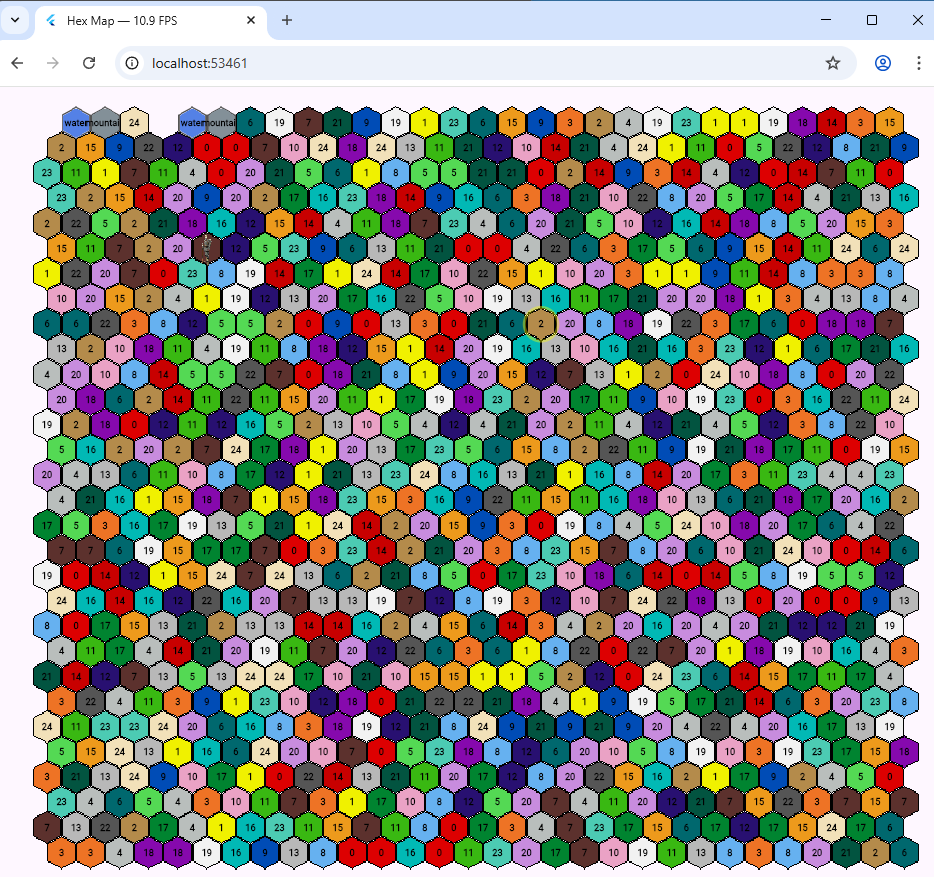
That puts the FrameRate in the caption. My 40 x 40 hex frame rate was between 6 and 10 FPS,

The Tiled program displayed a 30 x 30 hex grid at just between 250 and 400 FPS! A clear and deserved winner.

The joys of Flutter web

The joys of Flutter web

Hexmap running at 10.9 fpsOriginally I was going to use Tiled to draw hexagons in a Flutter web game. But it seemed easier to do it manually without having to worry about working with the .tmx format which is an all singing format based on a XML file structure, and seems more suited to static maps.

My game includes a map generator although that’s not hooled up yet.

I’ve been doing experiments and have a Flutter web program displaying a 40 x 40 hexes map, complete with text. It does this at around 6-10 fps.   This is on a 3 1/2 year old PC. I think it should be sufficent frame rate for a web strategy game. It also displays images and there’s a faint one on the sizth row.

If you look very closely in the middle of the ninth row you might see a hex with the value 2 that’s been clicked on with a faint circle highighting it.

The hexes aren’t quite meshing together with a solid border so that needs sorting.

Don’t get Flutter and Dart mixed up

Don’t get Flutter and Dart mixed up

A bird a Flutter and Darts

I’m working on a game with a Flutter web client and two Dart terminal programs hence the visual pun. Annoyingly, you can’t compile a Dart exe for Linux on a Windows PC. You can do that in C# but I prefer to use Dart.

I have all the classes in two files (one is called classes.dart) and because I’m using JSON to persist game data, I use the build_runner package from pub.dev. Just add this before any classes:

@JsonSerializable()

Make sure if you have enums that every enum value has

@JsonValue('houses')

before it and add functions like this for each class you want to persist; in this case a Location class:

factory Location.fromJson(Map<String, dynamic> json) =>
    _$LocationFromJson(json);

Map<String, dynamic> toJson() => _$LocationToJson(this);

Then when it’s all done, do this to generate a file that handles loading and saving the specified classes.

dart run build_runner build

Along the way though I managed to get Flutter into a Dart program. I’m using SQLite but only in Dart, not in the Flutter app. Unfortunately I used the kIsWeb constant to exclude some calls (when the classes are used by the Flutter app) in my classes file.  But you can’t do that in a pure Dart program, it will not compile. Instead I wrote my own function.

bool isWeb() {
  return !Platform.isWindows && !Platform.isLinux;
}

Interestingly, the definition of kIsWeb in the API is this below, so it might be worth trying that out.

const bool kIsWeb = bool.fromEnvironment(‘dart.library.js_util’);