
Tiled is the clear winner
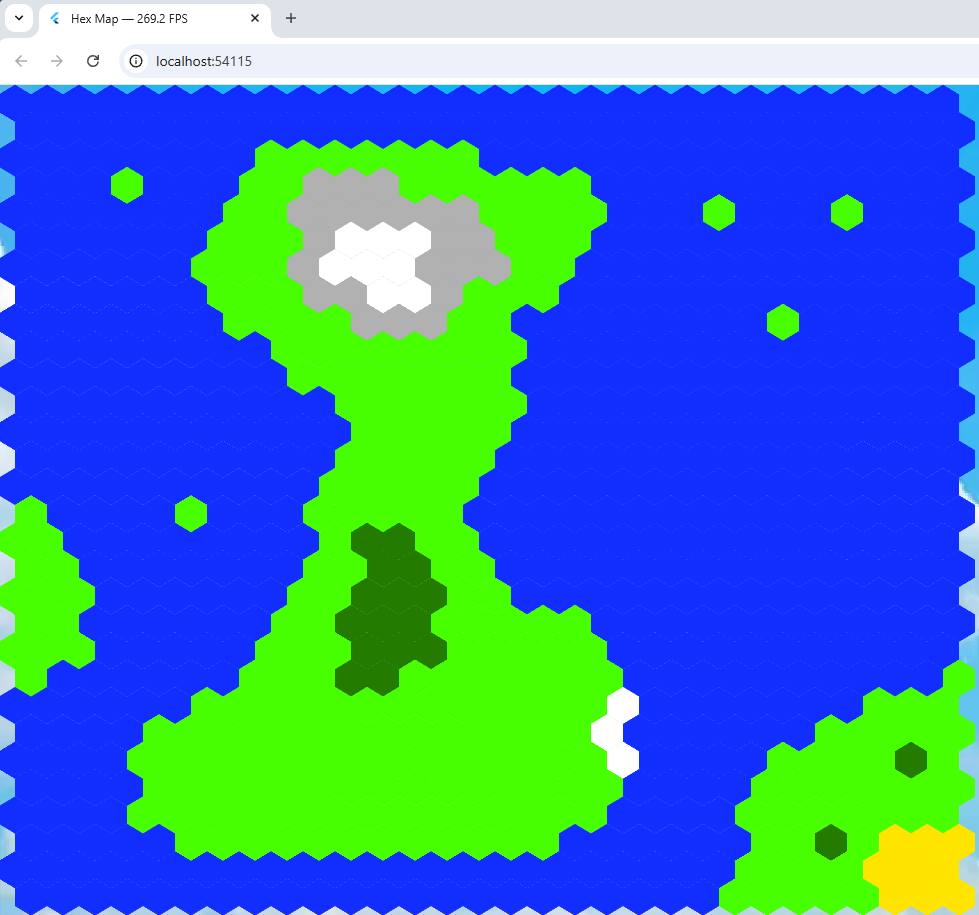 I thought maybe the non-tiled hex map program mentioned in my last blog entry would be easier to work with and as fast but just to be on the safe side, I measured the frame rate of both programs.
I did this with a nifty bit of Flutter code ceated by an AI that I’ve included below. I added it to the program created by Alexander Shevelev who wrote a Medium article about using Flutter + Flame + Tiled. That’s his program running.
import 'dart:math' as math;
import 'dart:ui';
import 'package:flame/components.dart';
import 'package:flame/events.dart';
import 'package:flame/game.dart';
import 'package:flame/input.dart';
import 'package:flame_tiled/flame_tiled.dart';
import 'package:flame_tiled_example/background.dart';
import 'package:flame_tiled_example/tile_info.dart';
import 'package:flutter/foundation.dart' show kIsWeb;
import 'package:flutter/scheduler.dart';
import 'package:flutter/widgets.dart' hide Animation, Image;
import 'package:web/web.dart' as web;

class FpsCounter {
  // Singleton instance
  static final FpsCounter _instance = FpsCounter._internal();

  factory FpsCounter() => _instance;

  FpsCounter._internal();

  bool _running = false;
  int _frameCount = 0;
  double _elapsedMs = 0;

  double fps = 0;

  /// Start measuring FPS
  void start() {
    if (_running) return; // avoid double registration

    _running = true;
    SchedulerBinding.instance.addTimingsCallback(_onTimings);
  }

  /// Stop measuring FPS and remove the global callback
  void stop() {
    if (!_running) return;

    SchedulerBinding.instance.removeTimingsCallback(_onTimings);
    _running = false;
    _frameCount = 0;
    _elapsedMs = 0;
    fps = 0;
  }

  /// Internal callback fired for every frame timing
  void _onTimings(List<FrameTiming> timings) {
    if (!_running) {
      return;
    }

    for (final t in timings) {
      _frameCount++;
      _elapsedMs += t.totalSpan.inMicroseconds / 1000.0;
    }

    // Update about 4 times per second
    if (_elapsedMs >= 250) {
      fps = _frameCount / (_elapsedMs / 1000.0);

      if (kIsWeb) {
        web.document.title = "Hex Map — ${fps.toStringAsFixed(1)} FPS";
      }

      _frameCount = 0;
      _elapsedMs = 0;
    }
  }
}
void main() {
    WidgetsFlutterBinding.ensureInitialized();
    FpsCounter().start(); // 👈 start measuring FPS
    runApp( Background( child: GameWidget(game: TiledGame()),
    ),
  );
}
That puts the FrameRate in the caption. My 40 x 40 hex frame rate was between 6 and 10 FPS,
The Tiled program displayed a 30 x 30 hex grid at just between 250 and 400 FPS! A clear and deserved winner.
 Thanks to suggestions in the Reddit CSharp subreddit (you can view the entire thread
  So I’ve been doing some .NET programming. First on Windows because I can debug it there then “Publish it” which puts all the files (compiled in release) needed, including any dlls into one folder and upload it to a VPS using WinSCP. I’ve also got a terminal session connected by Putty. I use Serilog for logging and SkiaSharp for graphics.
 I’m working on three game projects (my side projects), One is Flutter front end plus C# back end, another is the same but a different type of back end and the third is a mobile game with C# backend but its put to one side until the others are done. These are all side projects.
 If you remember
  Tilengine
 The final game will use graphics but those graphics will be based on characters, so I’ve started off by drawing a room or two using the provided extended ASCII characters.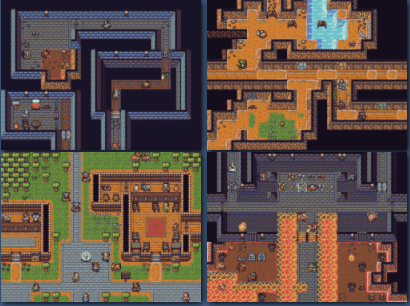

 In my ebook I talked about professional games using a resource manager. Games like Quake 2 use a .pak file which stores all images, levels etc. The first stage towards writing a resource manager is to have some way of compressing files. Most graphic file formats such as jpg, gif and png are already compressed. But other files like level files aren’t, typically text and so will compress well.