 These days, if you have a website or even a game server then you probably should have an SSL (or TLS to be more precise) certificate. Have you heard of telnet? It’s an old protocol that allows you to connect to a remote computer and issue commands. Do you know why you don’t hear of it any more? Because it was designed for an era where hackers didn’t spend all their time attempting to compromise computers. Telnet, like FTP has a flaw. Passwords and login details are sent in the clear. Not hashed, or encrypted.
Why don’t I use SSH to connect to it? I do. SSH has more functionality than SSL and is very good for encrypting remote connections. SSL needs a certificate, whereas SSH doesn’t but many think you should use a SSH certificate as a substitute for username/password and I intend to. If you’re not sure of the technical differences between SSL and SSH, this article isn’t a bad place.
So today I paid for an SSL certificate. I’d pointed a domain I had handy to the vps a few days ago, to give DNS a chance to settle, (24 hours max but usually much less) paid £20 for five years of SSL cert and installed it today. Thankfully, virtualmin which I use for configuring the server makes it straightforward to request a SSL by generating the CSR (Certificate Request an Private Key) . This blog uses an SSL cert from the same place (CheapSSL). Despite the low price the certificates are very good.
Although the world won’t see what the cert is protecting, you almost have to have them nowadays. This is for the connection between smartphone and server. As I found today, Apple is ramping up security and Google is doing the same. I have iOS 14 on my iPhone (upgraded yesterday) and it refused to connect to WiFi in my local coffeeshop. Their certificate doesn’t expire for another month but I suspect it is now over 398 days old. As far as Apple is concerned, that certificate is past its use by date. This is Apple’s new policy since earlier this year. My wife’s iPhone, still on iOS 13 connected quite happily.
For those who have bought a multi-year certificate as I have today, it just means you have to generate another CSR and install a newer certificate once every 400 days or so. I’ve started taking screenshots of the details so I get them correct! I believe Google is moving to this 398 day maximum as well.
So the commands from smartphone to game server are now sent over https and encrypted in flight as are the results. It’s one less thing to worry about.

 MonoGame is not just for mobile, as I’ve been doing. Open VIII is a Final Fantasy VIII game engine written in C#/MonoGame and currently works on Windows and Linux (not sure about Mac). Other games in the series have been ported to other platforms but not FFVIII, so that’s why the project was started.

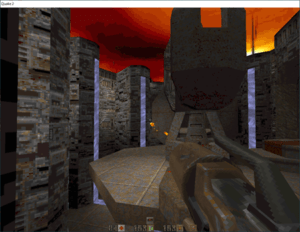 Oh I do play much newer games such as Far Cry 5 which I’ve completed recently but Quake II was a favourite of mine back in 1997 when I bought it. I’m more of a Quake than a Doom person. Unfortunately for me, my then PC couldn’t run it. It was only two years old as well. But I got a new PC in 1998 and that played it just fine. I’m not saying I’m a saddo but I can play it through on the hardest level without losing a life.
 Well if you remember maths (or math for US readers), you’ll know that the area of a circle is pi X r X r where r is the radius and pi is that 3.14159 number.
 This is for my MMO game. I need a backend server, so yesterday I signed up for a vps service. I picked Ubuntu 20.04 LTS which I’ve used before and received the login details. I use Putty to log in via SSH and WinSCP for browsing, copying files. Installing Apache2 is actually very easy. Likewise PHP. I didn’t install MySQL which might have been a mistake, so I had a LAP system (Linux, Apache, PHP) rather than LAMP.
 It’s true. Well my code and that of thousands of others on Svalbard, a set of islands halfway between Norway and the North pole. I’ve actually been to Svalbard on a cruise a few years back. It was cold and a bit damp. That’s one of a bunch of photos I took.
 I occasionally answer (often in a somewhat ascerbic tone) questions on