How fast is a Raspberry Pi 5?
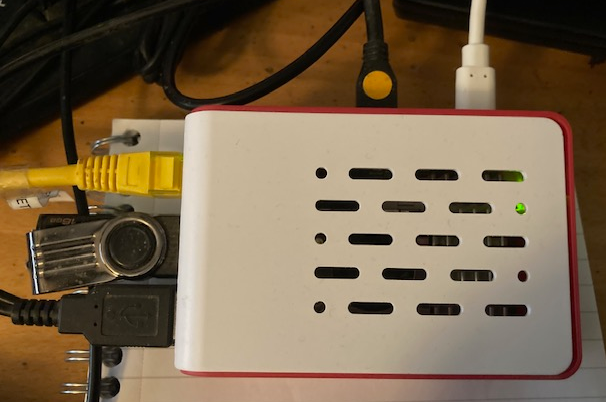 I recently bought one with 8 GB RAM pictured above. I haven’t got an SSD for it yet so am still pottering about with an SD Card.
I’ve installed VS Code, clang. and Rust along with the VS Code extensions Rust-Analyzer and codelldb.
Out of curiosity I compiled and ran a Rust program that reads in a text file of 1,000 lines of text with each line holding 7 random cards like this: AH 6D 2C 4S JD QH QC.
The idea is to load the file into RAM then process each line and determine the best poker hand.
On my PC 11th Gen Intel(R) Core(TM) i7-11700K @ 3.60GHz (which runs Windows 11), I compared running the Rust program in Windows 11, on Ubuntu 24.04 LTS running in a Hyper-V VM on the same PC and on the Raspberry Pi 5 using it’s own Debian (Bookworm) version.
Here are the times per hand.
- Windows: 175 ns.
- Ubuntu on Hyper-V 125 ns
- Raspberry Pi 5: 175 ns.
You can download the project with the test cards from GitHub. This link is a zip file containing the project file.
To run it in release in VS Code, in the terminal type in
cargo run --release 1000_card_hands.txt

Or you can view the test cards which include the results with commemts in the test file. No need to run it release.
cargo run --features=show_cards test_card_hands.txt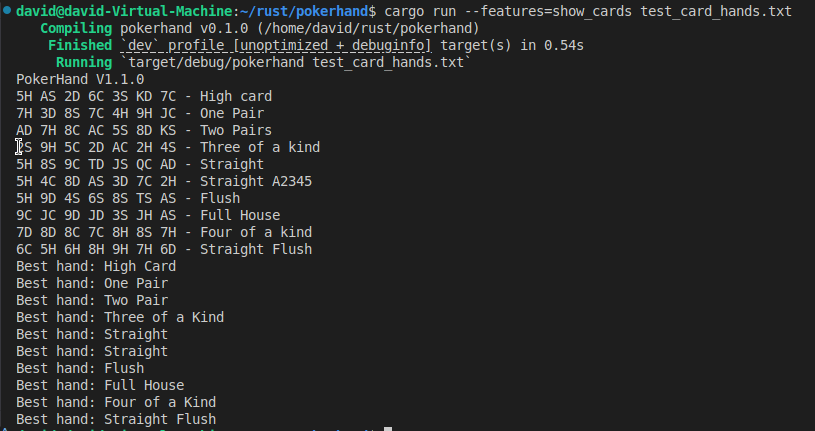
What is so suprising is that the time on Windows and Rapberry Pi 5 are the same. Windows is running a virus checker (Windows Defender) and I guess that might slow it a bit.


 Well actually I asked Microsoft’s CoPilot AI and it sorted it!
 This is on Ubuntu 24.04 LTS. I’ve installed the dev versions of SDL2, including images and TTF. You can read how to install them in
  Is that the use needs to specify file::module_name::…
 I wrote a Poker Hand evaluator. It read in a file of a 1,000 randomly generated sets of seven cards like this AC 8H JC …and figured out what was the best hand. It’s in Rust and on