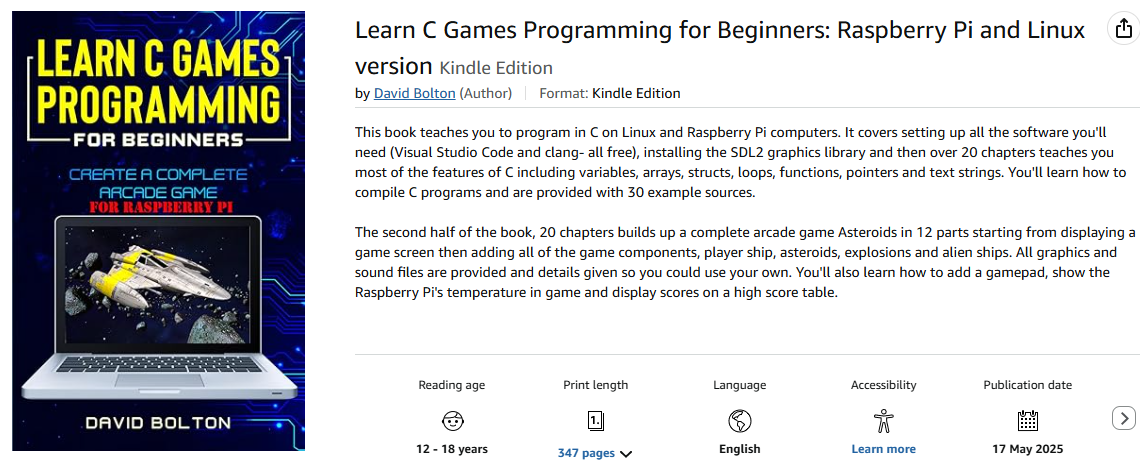
eBook 2 now published on Amazon
This is the Linux and Raspberry Pi version of the first book which uses VS Code. All code updated plus screenshots mostly from Raspberry Pis and a new book cover!
Learn C Games Programming Blog
A blog about C, programming games and my ebook(s).
This is the Linux and Raspberry Pi version of the first book which uses VS Code. All code updated plus screenshots mostly from Raspberry Pis and a new book cover!
As a user of Visual Studio since about VS 5, I’ve become accustomed to being able to debug. With VS Code, it’s also been easy but now that I program in C and Rust, the codelldb extension makes things very easy. You need other extensions: for Rust- the Rust Analyzer extension and for C/C++ the Microsoft C/C++ extension.
And for debugging for both the codelldb extension which is shown. It uses the usual Microsoft debugging keys: F5 to start F10 to step over, F11 to step into and F9 to toggle a breakpoint.
Below is an example of debugging a Rust program.

I’m currently unable to compile Rust programs that use SDL2 on Windows. No problems on Ubuntu or Raspberry Pi OS, just Windows 11.
Although it says cannot open input file SDL2.lib, I think the problem is a parameter passed into Link.exe.
The text from the image above is listed below- I’ve broken it to make it readable as it’s displayed preformatted and unmodified it is all on a single very wide line!
= note: "C:\\Program Files\\Microsoft Visual Studio\\2022\\Community\\VC\\Tools\\MSVC\\14.43.34808\\bin\\HostX64\\x64\\link.exe"
"/NOLOGO" "C:\\Users\\dhbol\\AppData\\Local\\Temp\\rustcA1PhoK\\symbols.o" "<70 object files omitted>"
"D:\\development\\rustapps\\choice\\target\\debug\\deps/{libsdl2-f8d94d30d19bed49.rlib,libsdl2_sys-325e30d8e9547ff4.rlib,
libbitflags-d15393d08e2f31fc.rlib,liblazy_static-c28c0e13093a4168.rlib,liblibc-851e0bf801239f69.rlib}.rlib"
"<sysroot>\\lib\\rustlib\\x86_64-pc-windows-msvc\\lib/{libstd-*,libpanic_unwind-*,libwindows_targets-*,
librustc_demangle-*,libstd_detect-*,libhashbrown-*,librustc_std_workspace_alloc-*,libunwind-*,libcfg_if-*,liballoc-*,
librustc_std_workspace_core-*,libcore-*,libcompiler_builtins-*}.rlib" "SDL2.lib" "SDL2_image.lib" "SDL2_ttf.lib"
"legacy_stdio_definitions.lib" "kernel32.lib" "kernel32.lib" "advapi32.lib" "ntdll.lib" "userenv.lib" "ws2_32.lib"
"dbghelp.lib" "/defaultlib:msvcrt" "/NXCOMPAT" "/OUT:D:\\development\\rustapps\\choice\\target\\debug\\deps\\choice.exe"
"/OPT:REF,NOICF" "/DEBUG" "/PDBALTPATH:%_PDB%" "/NATVIS:<sysroot>\\lib\\rustlib\\etc\\intrinsic.natvis"
"/NATVIS:<sysroot>\\lib\\rustlib\\etc\\liballoc.natvis" "/NATVIS:<sysroot>\\lib\\rustlib\\etc\\libcore.natvis"
"/NATVIS:<sysroot>\\lib\\rustlib\\etc\\libstd.natvis"
= note: some arguments are omitted. use `--verbose` to show all linker arguments
= note: LINK : fatal error LNK1181: cannot open input file 'SDL2.lib'␍
But if you try running part of it like the first line
“C:\\Program Files\\Microsoft Visual Studio\\2022\\Community\\VC\\Tools\\MSVC\\14.43.34808\\bin\\HostX64\\x64\\link.exe”
“/NOLOGO” “C:\\Users\\dhbol\\AppData\\Local\\Temp\\rustcA1PhoK\\symbols.o”
Well the path to link..exe is correct, but there’s no rustcA1PhoK\symbols.o in that temp folder. Any suggestions welcomed…
I’ve left this in, in case anyone else has this problem.
You need to add an environment variable LIB with the address of the SDL .lib files including ttf, image and mixer. Make sure they’re all in this folder:
C:\Users\dhbol\.rustup\toolchains\stable-x86_64-pc-windows-msvc\lib
The bold part of the path will be different on you PC.
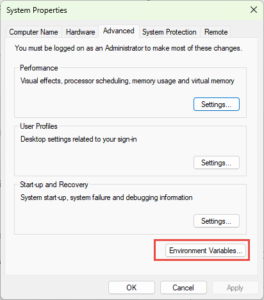
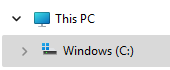
In File Explorer, right-click on This PC then click Properties on the popup menu.

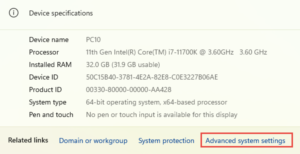
It’ll open Settings – About, and you need to click Advanced system settings.

This opens System Properties and on that you click Environment variables.


Now just click New and add Lib and that path It should look something like mine. Now reopen Visual Studio and your SDL2 Rust app should now build and run.

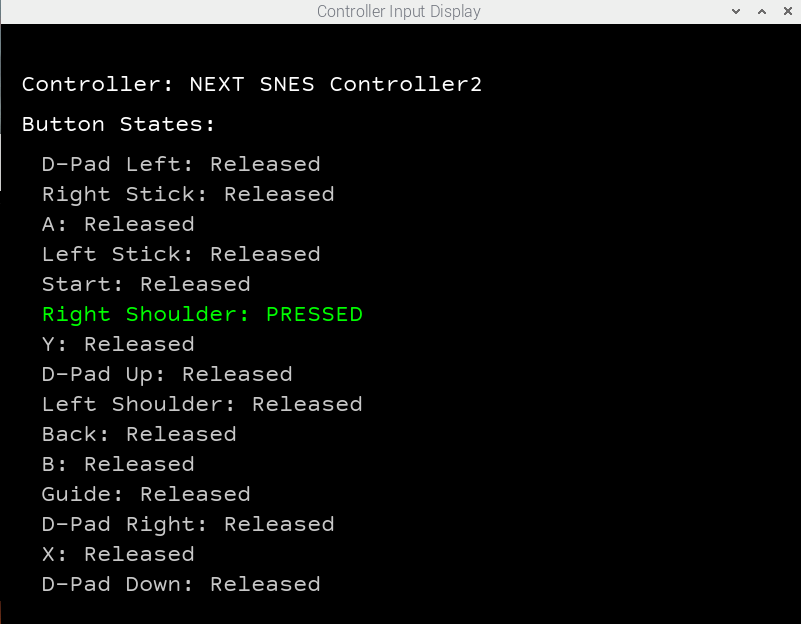
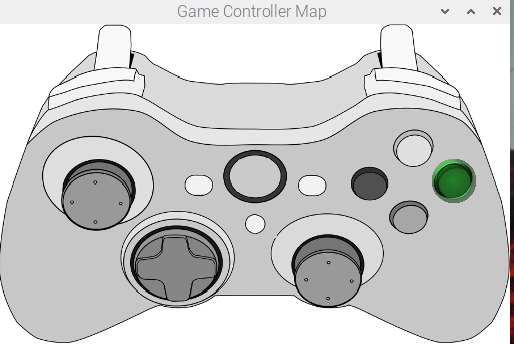
So I’ve been playing with a Rust program that uses the config string generated by controllermap. It shows all the keys and the text of a particular button turns green when you press it and it shows PRESSED/RELEASED.
But it got A and B buttons mixed up and also X and Y. I’d press A, it highlighted B etc.
I checked my code, it wasn’t there. I ran controllermap again and it generated a similar config string.
I then went back to the Pi version of Asteroids, put it on a Pi, started debugging it, pressed the fire button and it hit the line of code for the A button. D’oh.
The only conclusion I can come up with is that controllermap gets it wrong for my gamepad. I had somehow missed it when I added gamepad control for the Asteroid Pi.
It’s quite easy to fix. This is what the full text in gamepad.txt look like.
030000001008000001e5000010010000,usb gamepad,platform:Linux,crc:417e,a:b2,b:b1,x:b3,y:b0,back:b8,start:b9,leftshoulder:b4,rightshoulder:b5,leftx:a0,lefty:a1,
but we’re only interesed in the button mappings for a,b, x and y which are in bold.
a:b2,b:b1,x:b3,y:b0,
Just swap the a b mappings and the x and y so it looks like
a:b1,b:b2,x:b0,y,b3
Then save the file and it now works correctly.

Remember controllermap? The utility that creates a configuration string for a game pad etc. I found that it is no longer installed by default when you install libsdl2-dev on Linux. I found the hard way, trying to use it on my new Raspbverry Piu 5.
But the source code is available for it in the libsdl 2 releases.
So I wrote a quick tutorial that explains how to get the source code and build it using clang on VS Code on a Pi or any Linux box. It’s linked here or you can find it on the tutorials menu.
I recently bought one with 8 GB RAM pictured above. I haven’t got an SSD for it yet so am still pottering about with an SD Card.
I’ve installed VS Code, clang. and Rust along with the VS Code extensions Rust-Analyzer and codelldb.
Out of curiosity I compiled and ran a Rust program that reads in a text file of 1,000 lines of text with each line holding 7 random cards like this: AH 6D 2C 4S JD QH QC.
The idea is to load the file into RAM then process each line and determine the best poker hand.
On my PC 11th Gen Intel(R) Core(TM) i7-11700K @ 3.60GHz (which runs Windows 11), I compared running the Rust program in Windows 11, on Ubuntu 24.04 LTS running in a Hyper-V VM on the same PC and on the Raspberry Pi 5 using it’s own Debian (Bookworm) version.
Here are the times per hand.
You can download the project with the test cards from GitHub. This link is a zip file containing the project file.
To run it in release in VS Code, in the terminal type in
cargo run --release 1000_card_hands.txt
Or you can view the test cards which include the results with commemts in the test file. No need to run it release.
cargo run --features=show_cards test_card_hands.txt![]()
What is so suprising is that the time on Windows and Rapberry Pi 5 are the same. Windows is running a virus checker (Windows Defender) and I guess that might slow it a bit.
But no AI generated image this time.
The problem seems to be with Electron which is the technology that drives VS Code.
Normally I use code or code . when I’ve opened a terminal and done a cd to the folder containing the project.
What fiuxes the VS Code crash with Error 5 is adding this on the end of the command
--js-flags="--nodecommit_pooled_pages"
so use either of these.
code --js-flags="--nodecommit_pooled_pages" or code . --js-flags="--nodecommit_pooled_pages"
I’ve tested it with my Pi 4 and it has been rock solid. The bug report and the fix are here on GitHub.

And the first thing I did after assembling it, was install VS Code and Rust. And irritatingly, there’s some kind of a bug with the current version of VS Code. 1.97.
Open a project- say for a Rust application and view the source code. After a few seconds or so it crashes with a The window terminated unexpectedly (reason: ‘crashed’, code 5).
I also updated my Raspberry Pi 4B, installed Rust and got the same crash with it.
Thankfully Raspis come with grim which lets you do screenshots on Wayland.
Want to know if your system is running Wayland? From a terminal run this command:
echo “$XDG_SESSION_TYPE”
And you’ll either get wayland or x11.
So I hope the VS Code issue gets fixed soon.
And it is a fair comparison because the Linux I’m running (Ubuntu 24.04 LTS) runs on my Windows 11 box in a hyper-V VM. I wrote a Poker hand evaluation program which loaded a text file containing lines of seven playing cards in text format TS 2C 4D sort of thing. It was seven cards because there’s two in your hand and five on the table.
There were 1,000 lines of these and the program loaded the file into memory, holding the cards in a Vec<Vec<Card>>. Then it loops through the 1,000 elements and figures out the best hand for each set. The bit that was timed was the loop not the loading the file into memory.
The source file is on GitHub. It has the project files plus some test cards. You can try it yourself. Note at the bottom of this article is a link to a much faster version.
https://github.com/David-H-Bolton/Projects/blob/main/rust_pokerhand.zip
On my PC, the Windows one average time per hand is 768 ns. On Ubuntu is 540ns. Mad eh! The same program runs in 70% of the time on Linux compared to Windows. Both are run with this command from a terminal/command line.
cargo run --release 1000_card_hads.txt
You can also try the test_card_hands.txt but you need to enable the show_cards feature. That shows the cards but doesn’t do timing. The default is do the timing but don’t show the cards or the evaluation.
cargo run --release --features show_card test_card_hands.txt

The test cards say what each hand is and the output at the bottom is the program working out each hand.
The file
https://github.com/David-H-Bolton/Projects/blob/main/rust_pokerhand_faster.zip
contains a much faster version. On Linux it takes about 127 ns per hand. On Windows it’s about 190 ns.
Well actually I asked Microsoft’s CoPilot AI and it sorted it!
This is what you need in the dependencies section in cargo.toml
[dependencies]
sdl2-sys = "*"
sdl2 = { version = "0.37", features = ["image","ttf"] }
It compiled with no problems after saving that.