Tiled is the clear winner
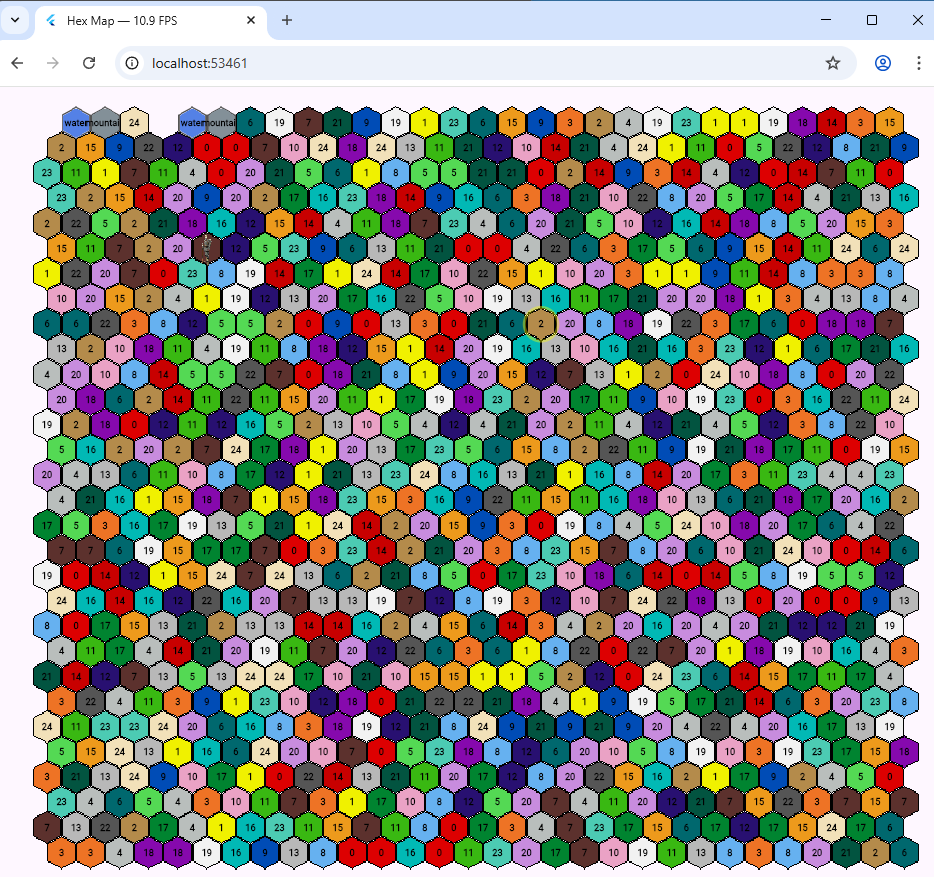
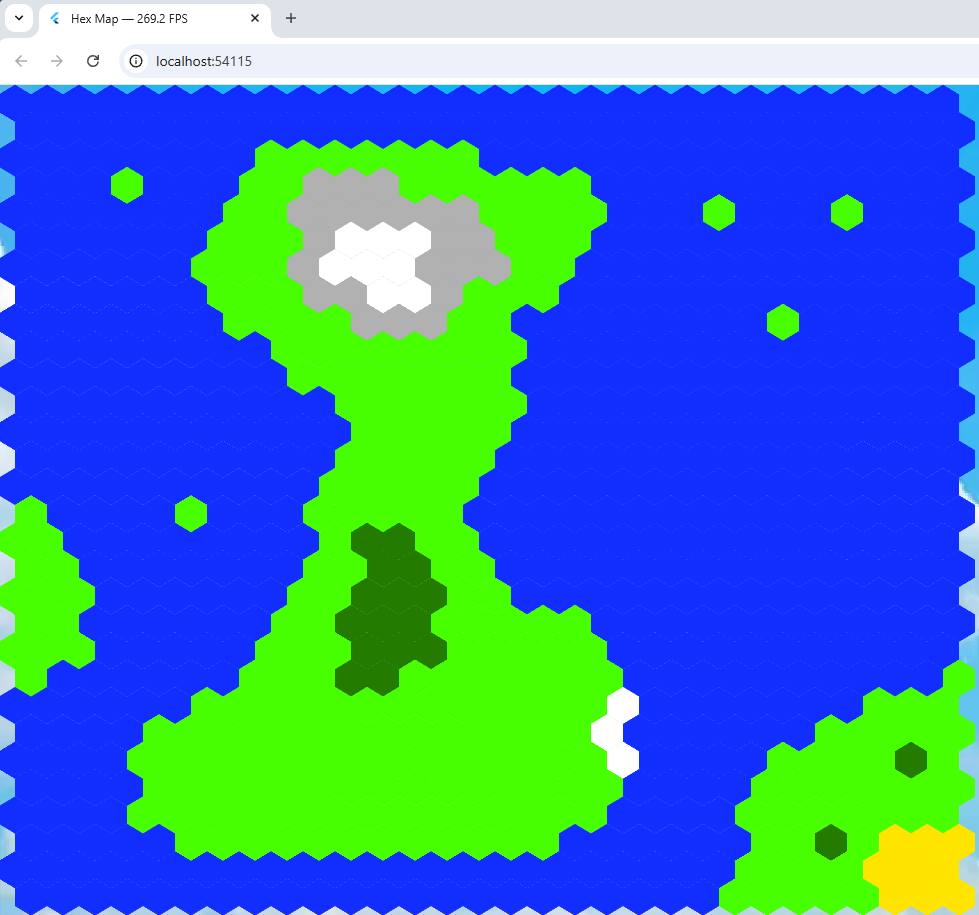 I thought maybe the non-tiled hex map program mentioned in my last blog entry would be easier to work with and as fast but just to be on the safe side, I measured the frame rate of both programs.
I did this with a nifty bit of Flutter code ceated by an AI that I’ve included below. I added it to the program created by Alexander Shevelev who wrote a Medium article about using Flutter + Flame + Tiled. That’s his program running.
import 'dart:math' as math;
import 'dart:ui';
import 'package:flame/components.dart';
import 'package:flame/events.dart';
import 'package:flame/game.dart';
import 'package:flame/input.dart';
import 'package:flame_tiled/flame_tiled.dart';
import 'package:flame_tiled_example/background.dart';
import 'package:flame_tiled_example/tile_info.dart';
import 'package:flutter/foundation.dart' show kIsWeb;
import 'package:flutter/scheduler.dart';
import 'package:flutter/widgets.dart' hide Animation, Image;
import 'package:web/web.dart' as web;

class FpsCounter {
  // Singleton instance
  static final FpsCounter _instance = FpsCounter._internal();

  factory FpsCounter() => _instance;

  FpsCounter._internal();

  bool _running = false;
  int _frameCount = 0;
  double _elapsedMs = 0;

  double fps = 0;

  /// Start measuring FPS
  void start() {
    if (_running) return; // avoid double registration

    _running = true;
    SchedulerBinding.instance.addTimingsCallback(_onTimings);
  }

  /// Stop measuring FPS and remove the global callback
  void stop() {
    if (!_running) return;

    SchedulerBinding.instance.removeTimingsCallback(_onTimings);
    _running = false;
    _frameCount = 0;
    _elapsedMs = 0;
    fps = 0;
  }

  /// Internal callback fired for every frame timing
  void _onTimings(List<FrameTiming> timings) {
    if (!_running) {
      return;
    }

    for (final t in timings) {
      _frameCount++;
      _elapsedMs += t.totalSpan.inMicroseconds / 1000.0;
    }

    // Update about 4 times per second
    if (_elapsedMs >= 250) {
      fps = _frameCount / (_elapsedMs / 1000.0);

      if (kIsWeb) {
        web.document.title = "Hex Map — ${fps.toStringAsFixed(1)} FPS";
      }

      _frameCount = 0;
      _elapsedMs = 0;
    }
  }
}
void main() {
    WidgetsFlutterBinding.ensureInitialized();
    FpsCounter().start(); // 👈 start measuring FPS
    runApp( Background( child: GameWidget(game: TiledGame()),
    ),
  );
}
That puts the FrameRate in the caption. My 40 x 40 hex frame rate was between 6 and 10 FPS,
The Tiled program displayed a 30 x 30 hex grid at just between 250 and 400 FPS! A clear and deserved winner.
 Originally I was going to use Tiled to draw hexagons in a Flutter web game. But it seemed easier to do it manually without having to worry about working with the .tmx format which is an all singing format based on a XML file structure, and seems more suited to static maps.